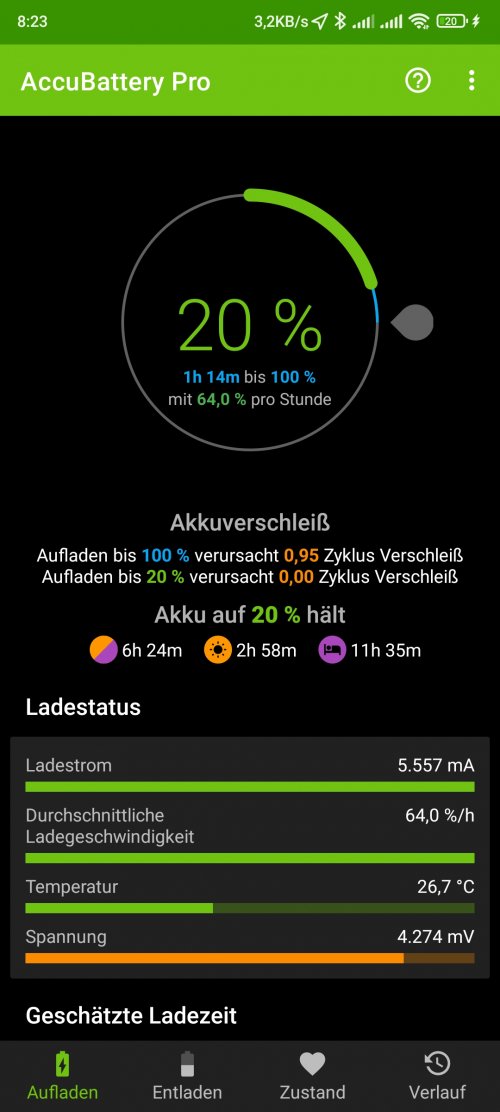
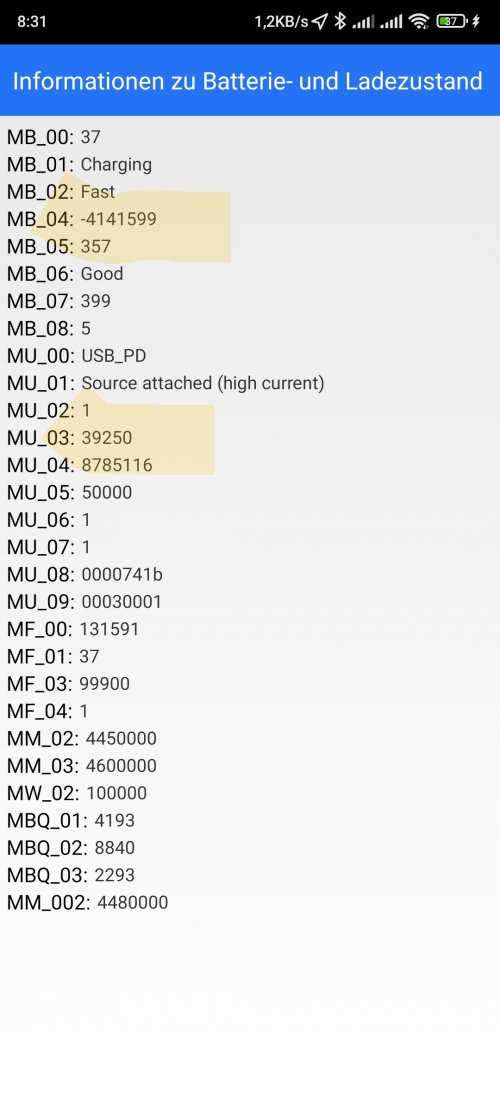
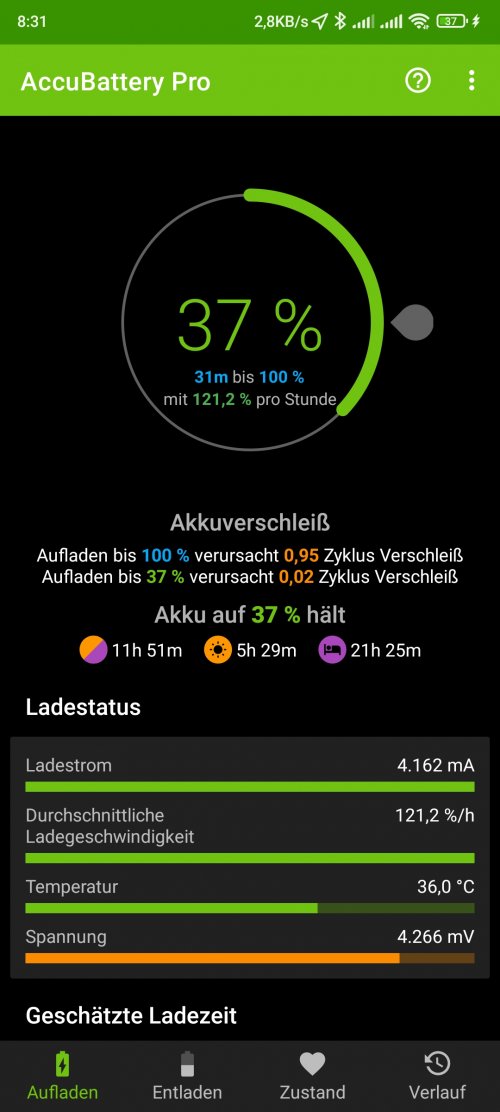
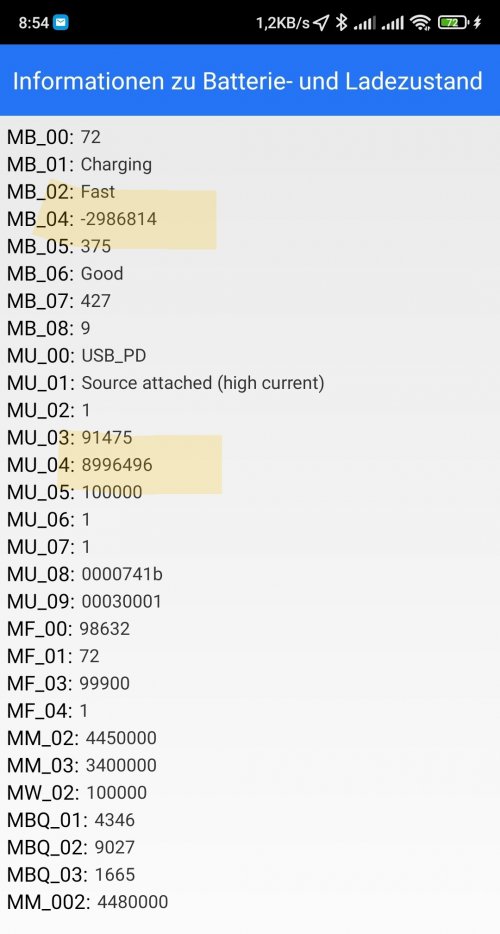
Hallo vielleicht hilft das ein wenig weiter. In der Telefon app folgendes eingeben: *#*#6485#*#*
Die Batterieinfo dann mal mit angeschossenem Ladegerät testen.
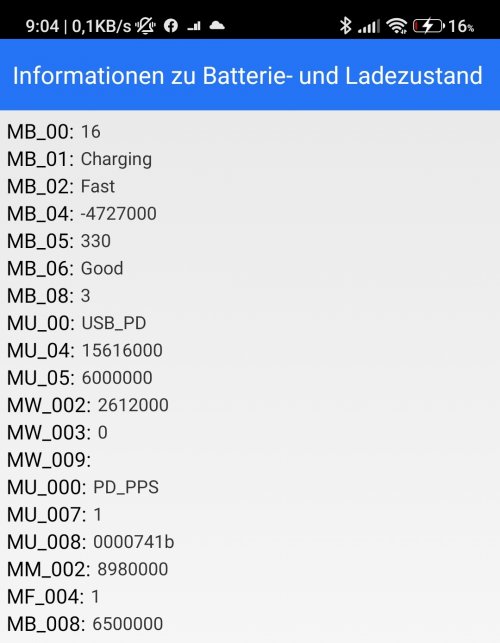
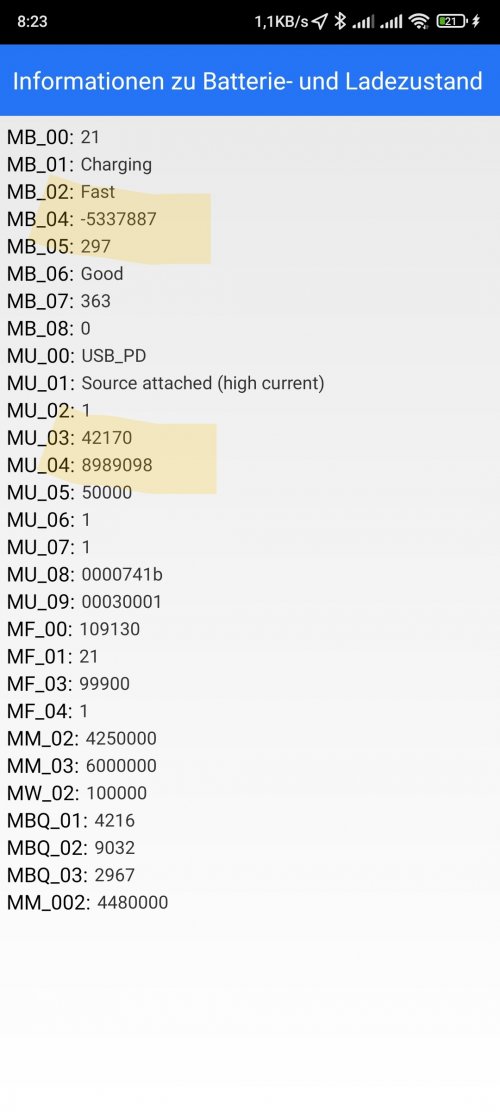
Erklärung zu den angezeigten Parametern (nicht alle werden angegeben je nach Modell und Romversion)
MB_00 - percentage of remaining battery power
MB_01 - current battery status - Charging / Discharging
MB_02 - charging method - for example fast, common, etc.
MB_03 - current voltage state - eg 4394984, ie 4,39 volts
MB_04 - current value of the drawn voltage by phone
MB_05 - battery temperature - for example 297 is 29,7 ° C
MB_06 - battery condition - if you see Good, it means it is in good condition
MB_07 - Charger chip temperature or Charging adapter temperature respectively
MB_08 - current level of temperature control
MB_09 - maximum battery voltage when fully charged
MU_XX codes:
MU_00 - type of charger used
MU_01 - current charging mode
MU_02 - direction of output or charging input (0 - not charging / 1 - charging / 2 - reverse charging)
MU_03 - maximum input voltage via USB
MU_04 - current input voltage via USB
Codes MF_XX:
MF_00: - internal battery resistance
MF_01: - actual charge level in percent. If this parameter is not the same with MB_00 this may indicate a problem. Sometimes you just need to reset it to factory settings.
MF_02: - Battery cycle - How many battery charging cycles fully charge from 0% to 100%
MF_03: - battery contact resistance - resistance of the battery with the contact on the motherboard
MF_05: - actual battery capacity
MF_06: - manufacturer's battery capacity
MM_XX codes:
MM_00: - AICL result (adaptive input current limit)
MM_01: - USB input current
MM_02: - Maximum charging voltage of the charger
MM_03: - maximum current full charge capacity